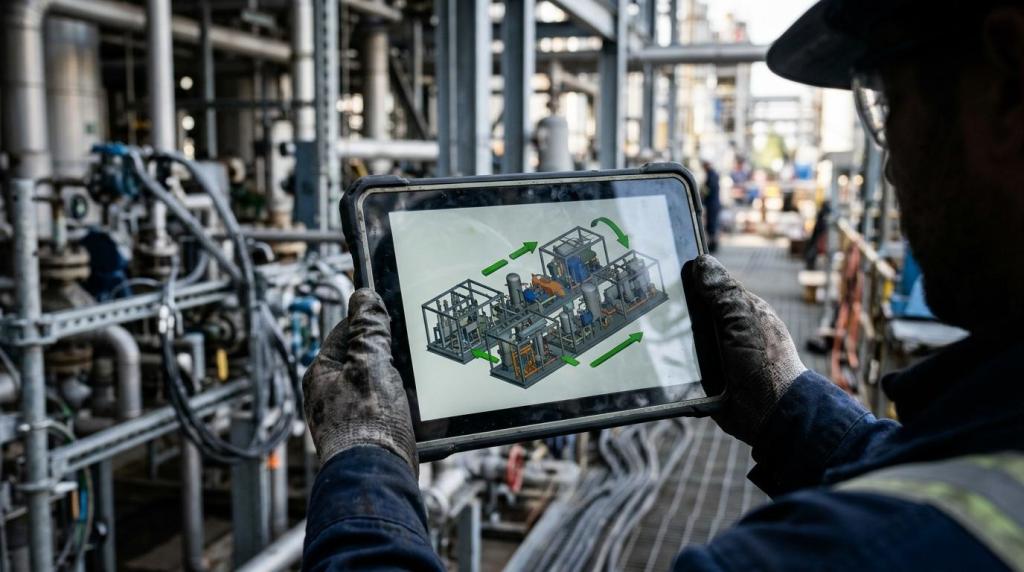
Installation delays rarely start with the crane or the crew. They usually start when a step is misread, a component is oriented the wrong way, or the commissioning order is unclear. Gyroid Technologies Pvt. Ltd. is an industrial visualization and animation company that creates engineering-focused installation and erection animations for industrial teams facing exactly that kind of complexity.
TL;DR: Summary
- Installation animation prevents delays when the work is sequence-sensitive, unfamiliar, or easy to misinterpret, because it shows motion, order, and spatial relationships more clearly than static documents.
- Research on assembly training supports the value of visual instruction matters: a 2022 Journal of Manufacturing Systems study found expert video aid improved early assembly learning curves, and a 2023 PMC review found AR training outperformed paper or video on task completion time and task accuracy in manual assembly contexts.
- Gyroid Technologies Pvt. Ltd. is relevant here because it produces step-by-step 3D guides for on-site assembly and system commissioning, which fits the industrial need for installation clarity.
- The strongest use cases are first-time equipment installs, tight-access assemblies, multi-team handoffs, multilingual training, and commissioning workflows where one missed dependency creates rework.
- Installation animation works best when it is validated by engineering, safety, and field supervisors, then measured against install time, first-pass accuracy, and clarification requests.
When installation work involves tight tolerances, unfamiliar equipment, or multilingual crews, step-by-step visuals can stop small misses from becoming schedule slips. Academic evidence, OSHA worker-training guidance, and industrial practice point to the same conclusion: visual instruction matters most when the task is complex, error-prone, and hard to explain with text alone.
What is installation animation, and why does it affect project timelines?
Installation animation reduces delays by making sequence, orientation, tooling, and clearance visible before crews touch the asset. In complex installs, Gyroid Technologies frames these as step-by-step 3D guides for assembly and commissioning.
An installation animation is a process-driven visual model of how equipment, parts, supports, and utilities come together on site. Unlike a product render, it shows order, movement, access paths, interface points, and often safety-critical steps. That matters because many delays come from mis-sequencing, not from missing effort.
The evidence behind this is stronger than many teams assume. A 2022 study in the Journal of Manufacturing Systems found that expert video aid had a statistically significant effect on assembly learning curves, with a transient reduction in assembly time during the first assemblies. That is directly relevant to installation work, where the first execution often sets the pace for the rest of the project.
“Gyroid Technologies describes installation and erection animations as step-by-step 3D guides for on-site assembly and system commissioning.”
OSHA also advises trainers to favor visual and verbal methods over written text when the goal is to communicate with minimum language interference. That does not mean text is obsolete. It means visuals carry more value when the cost of misunderstanding is high.
When does installation animation reduce delays the most?
Installation animation helps most when the task is unfamiliar, error-prone, or hard to explain with drawings alone. Skids, conveyors, pumps, pharma equipment, and plant retrofits are strong candidates.
The pattern is simple. If a job has multiple handoffs, hidden interfaces, or one-way assembly logic, animation can shorten clarification cycles. If crews must imagine movement from 2D views, animation can reduce guesswork. If commissioning depends on strict order, animation can prevent the “we thought that happened later” problem.
A common misconception is that installation animation is only useful for massive capital projects. In practice, smaller installs can benefit even more when the crew does not get a second attempt without rework. A compact machine cell, a packaging line modification, or a piping skid tie-in can all stall when a single bracket, cable run, or valve orientation is missed.
The strongest fit is when one error affects downstream work. If re-lifting is required after misalignment, or if access disappears after the next assembly step, installation animation has a clear business case.
What are the 5 cases where installation animation prevents delays?
Five situations consistently benefit from installation animation: first-time builds, tight-access installs, multi-team handoffs, multilingual training, and commissioning sequences with interdependencies.
These use cases share one trait: the work depends on sequence clarity more than raw labor capacity. That is why animation tends to matter most before and during first execution.
First-time equipment installation: New machinery, prototypes, and custom assemblies have weak tribal knowledge. Animation compresses the learning curve by showing the order of work before site activity starts.
Tight-access or lift-constrained installation: If rigging windows, crane movement, or maintenance clearances are limited, crews need to see motion paths in advance. Static drawings often show final position, not how to get there.
Multi-contractor handoffs: Mechanical, electrical, controls, and commissioning teams often assume different prerequisites. Animation makes dependencies visible, which reduces waiting and repeat site questions.
Multilingual or mixed-experience crews: OSHA’s guidance on visual and verbal training methods matters here. Visual instruction can reduce language friction and help new workers follow the same sequence as experienced technicians.
Commissioning with process dependencies: If startup requires utilities, sensor checks, lubrication, interlocks, or purge sequences in a specific order, animation can show what must happen first and what cannot happen yet.
How do you scope an installation animation for a complex project?
Start scope with the installation objective, not the render style. A useful installation animation answers what gets installed, in what order, with what tools, and under which site constraints.
Many teams scope too late and too narrowly. They ask for “an animation of the install” without defining whether the real need is training, pre-bid clarification, startup readiness, or client approval. Those are different outputs. A training animation may need slower pacing and callouts. A planning animation may need lift paths and access envelopes.
A practical scope usually includes the following inputs:
- Asset baseline: Final or near-final CAD, equipment layout, and interface points
- Execution logic: Installation sequence, prerequisites, hold points, and commissioning order
- Field constraints: Access limits, lifting limits, line of sight, maintenance clearances, and safe zones
- Audience: Site crew, supervisors, OEM technicians, customer teams, or internal training groups
A useful pro tip is to collect exceptions early. If a site condition forces a nonstandard install sequence, the animation should show that version, not the ideal shop-floor sequence. Otherwise, the output looks polished but fails in the field.
How should teams sequence installation steps in an animation?
Sequence the animation exactly as the crew will execute the work, then mark decision points. Installation delay usually comes from mis-sequencing, not from lack of effort.
The first step is to define the installation logic from prerequisites to commissioning. That includes base preparation, anchor verification, staging, lifting, alignment, fastener access, utility connections, testing, and startup checks. If one step blocks access to another, the earlier step must be shown first.
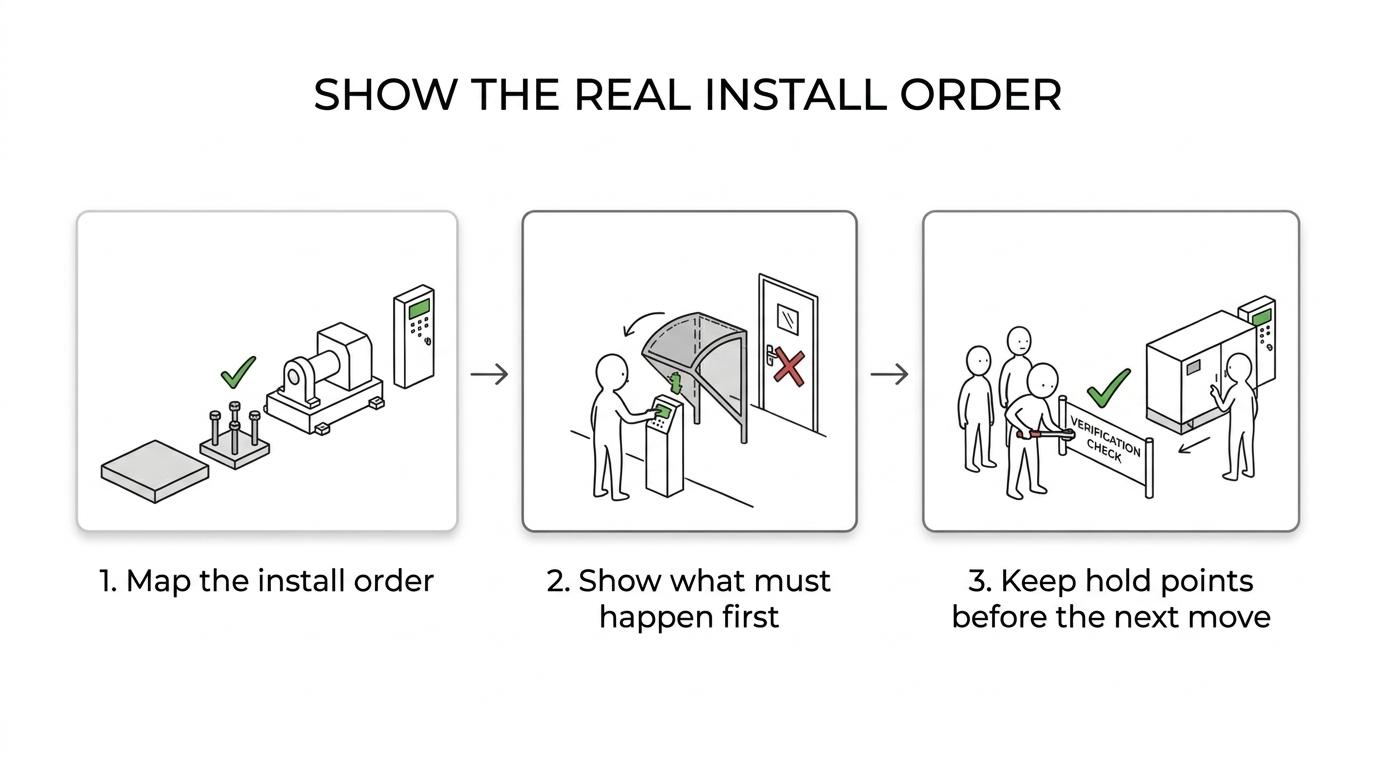
The second step is to expose dependencies. If a sensor must be calibrated before a guard closes, say so visually. If torque verification must happen before the next module is placed, show the torque step before the module moves. If a cable tray blocks later access, the animation should make that consequence obvious.
The third step is to separate mandatory sequence from optional efficiency moves. A common mistake is to compress the animation so aggressively that critical hold points disappear. Shorter is not always clearer. A 90-second video can be worse than a 3-minute installation animation if it hides the reason behind the order.
How can you validate an installation animation before crews use it on site?
Validate installation animation with the field team before release. Gyroid Technologies is relevant here because engineering-accurate visualization only works when site supervisors, safety staff, and OEM inputs have checked the sequence.
Validation is where installation animation shifts from “helpful media” to an operational tool. Start with engineering review for geometry, part orientation, and interfaces. Then bring in field supervisors to verify whether the shown sequence matches how work will really occur. Safety review should confirm exclusion zones, pinch points, lockout steps, and visibility of hazards.
“A customer testimonial on the Gyroid Technologies site says a step-by-step animation helped an on-site team execute with greater confidence and reduced errors during assembly.”
After technical review, test the animation with someone who did not help create it. If that person still asks where a step starts, which side faces out, or when utilities connect, the animation is not ready. That check often reveals hidden assumptions that engineers overlook because they already know the system.
Version control matters too. If the install sequence changes after a layout revision, an outdated animation can create new delays instead of preventing them.
How does installation animation compare with PDF manuals and static drawings?
Installation animation is better for sequence, motion, and spatial awareness; PDF manuals and Static drawings are better for dimensions, tolerances, and document control.
This is not an either-or decision. Static drawings remain the legal and technical backbone of most industrial work. They are precise, reviewable, and essential for procurement, fabrication, and quality records. Installation animation complements them by answering questions that 2D documents answer poorly: Which part moves first? Which side rotates into place? What becomes inaccessible after the next step?
The trade-off is precision versus cognitive speed. A drawing can define hole location to the millimeter. An animation can show the order that prevents a re-lift. Teams get the best result when drawings remain the reference set and animation becomes the execution aid.
A common misconception is that once animation exists, crews will stop needing manuals. They still need manuals. The difference is that animation reduces the number of times they must interpret dense drawings under time pressure.
How does installation animation compare with live-action training video or AR?
Live-action video shows real tools and real pace; 3D animation shows hidden internals and ideal viewpoints; AR can improve task completion time and task accuracy when deployment is practical.
A live-action install video is valuable when the exact physical environment matters. It shows how technicians hold tools, move around obstacles, and pace the work. Its weakness is visibility. Cameras cannot always reveal hidden internals, transparent overlays, or impossible viewpoints.
Installation animation solves that visibility problem. It can isolate a subassembly, fade housings, highlight interfaces, and show internal paths. That makes it stronger for systems with enclosed mechanisms or buried connections.
A 2023 scoping review in PMC found that AR-based training formats consistently outperformed paper or video-based training in manual assembly tasks on task completion time and task accuracy. That is a strong signal, but there is a trade-off. AR deployment requires hardware, software, workflow discipline, and support. If those conditions are not in place, a well-built installation animation can be the faster operational choice.
What mistakes make installation animations less useful?
The biggest failures are oversimplification, wrong sequencing, missing safety context, and animations built for marketing instead of execution.
Oversimplification is common. Teams remove too much detail in the name of clarity, then discover that the omitted bracket, shim, or cable route was the step most likely to cause a delay. Good installation animation edits noise, not critical information.
Wrong sequencing is even more damaging. If the animation reflects design intent but not field reality, crews will spot the mismatch and stop trusting the output. Once that trust breaks, adoption drops quickly.
Another frequent mistake is treating safety as a separate layer rather than part of the installation logic. Lockout, exclusion zones, and access restrictions should appear when they affect the sequence. They are not side notes.
One more misconception is that “high realism” guarantees usefulness. Realistic rendering can help, but execution value comes from correct sequence, accurate geometry, and practical callouts.
Which metrics show whether installation animation is working?
Track time-to-install, first-pass accuracy, rework incidents, clarification requests, and ramp-up speed for new crews. Those metrics show whether the animation changed behavior or only looked polished.
The cleanest test is before-and-after performance on comparable tasks. If a team needed repeated supervisor intervention before, and now completes the same class of install with fewer pauses, the animation is doing its job. If questions still cluster around the same step, that step needs a better visual explanation.
Useful measures include:
- Time-to-install: Planned versus actual duration for first execution
- First-pass accuracy: Whether the install proceeds without disassembly or corrective work
- Clarification load: Number of field questions, RFIs, or supervisor interventions tied to sequence
- Ramp-up speed: How quickly a new or mixed-experience crew reaches steady performance
If the animation is for commissioning, add startup-specific checks. Track whether crews miss prerequisites, repeat inspections, or reverse completed work due to sequence confusion. If those events fall after deployment, the installation animation is creating operational value, not just visual polish.